


https://www.godownloads.org/blackmagic-design-davinci-resolve-studio-21-2-mac/

Blackmagic Design DaVinci Resolve Studio 21.2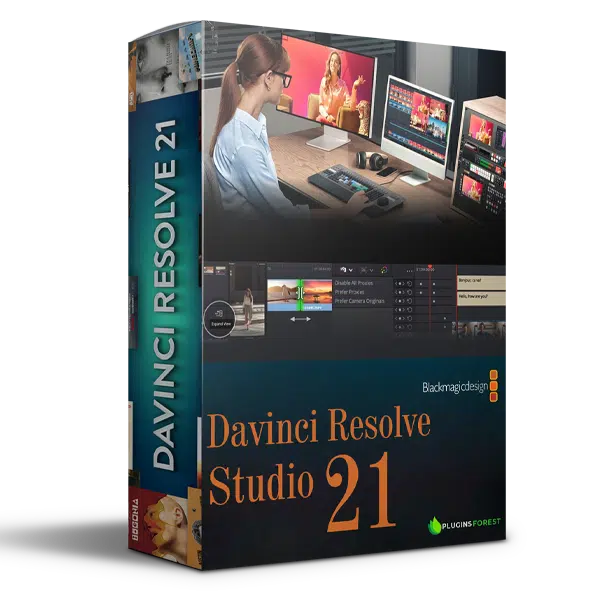
Blackmagic Design DaVinci Resolve Studio 21 is a professional post-production solution that combines video editing, color correction, visual effects, motion graphics and audio post-production in one powerful software environment.
Designed for video editors, filmmakers, colorists, visual effects artists and audio professionals, DaVinci Resolve Studio provides an integrated workflow for creating professional content without constantly switching between different applications.
From editing YouTube videos and commercials to producing documentaries, television programs and feature films, DaVinci Resolve Studio offers a comprehensive set of tools for modern video production.
DaVinci Resolve organizes its production environment into dedicated workspaces, with each page designed for a specific stage of post-production. Move between editing, visual effects, color grading, audio processing and final delivery within one integrated application.
The Edit workspace provides advanced non-linear editing tools for organizing footage, building timelines and producing professional video content.
Key capabilities include:
It is suitable for feature films, television productions, commercials, documentaries and online video content.
The Cut workspace is designed to speed up editing workflows, particularly for projects with tight deadlines.
Its editing environment includes:
These features help editors organize footage and assemble projects more efficiently.
The Color workspace provides advanced color correction and grading tools used in professional film and television production.
Fine-tune your footage using controls for:
These tools give colorists detailed control over the appearance and consistency of their footage.
The Fusion workspace provides a node-based environment for creating visual effects, animations and motion graphics.
Its creative tools include:
Fusion makes it possible to build complex visual compositions within the DaVinci Resolve environment.
The Fairlight workspace provides a complete digital audio production environment for editing, mixing and audio post-production.
Its tools support:
Fairlight is particularly useful for filmmakers, dialogue editors, sound designers and post-production studios.
The Media and Deliver workspaces provide tools for managing source footage, organizing media and preparing final video exports.
Key capabilities include:
These tools help streamline the process from importing footage to producing final master files.
DaVinci Resolve Studio includes more than 100 GPU- and CPU-accelerated Resolve FX effects for enhancing and transforming video footage.
These effects support tasks such as:
The effects provide additional creative control for professional video editing and finishing.
The DaVinci Neural Engine uses artificial intelligence and machine learning technologies to simplify demanding post-production tasks.
Its capabilities include:
These features help reduce repetitive editing tasks and improve production efficiency.
DaVinci Resolve supports a flexible post-production workflow with compatible third-party technologies and professional studio infrastructure.
Its ecosystem includes support for:
It also supports workflows for exchanging projects and media with other major post-production applications.
DaVinci Resolve supports collaborative workflows for editors, colorists, visual effects artists, animators and sound engineers.
Multiple creative professionals can work on shared project resources through supported collaboration features, helping studios coordinate editing, grading, effects and audio production.
DaVinci Resolve Studio is suitable for:
Whether you’re editing short-form content, producing commercials, creating cinematic visuals or managing large post-production projects, DaVinci Resolve Studio provides an integrated creative environment.

Blackmagic.Design.DaVinci.Resolve.Studio.21.2.macOS.part3.rar – 2.1 GB
Blackmagic.Design.DaVinci.Resolve.Studio.21.2.macOS.part2.rar – 2.9 GB
Blackmagic.Design.DaVinci.Resolve.Studio.21.2.macOS.part1.rar – 2.9 GB


https://www.godownloads.org/blackmagic-design-davinci-resolve-studio-21-2-mac/
fixed.
Link updated.

very usefull grades